
The Soundcloud Element will allow you to embed audio clips on your page from the popular platform, Soundcloud, hence the element's name.
Content Tab
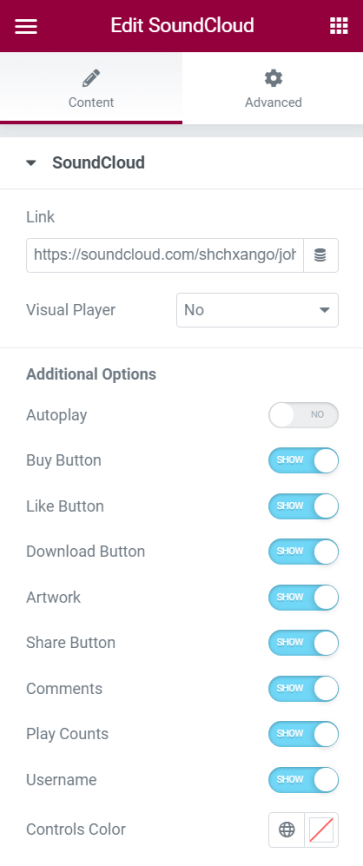
Soundcloud
- Link - Enter the link for the audio clip you want to embed
- Visual Player - Choose to either show or hide the visual player
Additional Options
- Autoplay - Switch the handle on or off for the audio to be played automatically
- Buy Button - Choose to either show or hide the button to buy the track
- Like Button - Choose to either show or hide the like button
- Download Button - Choose to either show or hide the download button
- Share Buton - Choose to either show or hide the share button
- Comments - Switch the handle on to either show or hide the comments
- Play Controls - You can choose to display the play controls or not
- Username - Select if you want the username to be shown or hidden
- Controls Color - Choose a color for the control player
Set the settings for the Advanced Tab that is appropriate for the element.
