
The Star Rating Element is another one on the list that will help you provide a visual achievement look on your page, with the element being customizable to style and design.
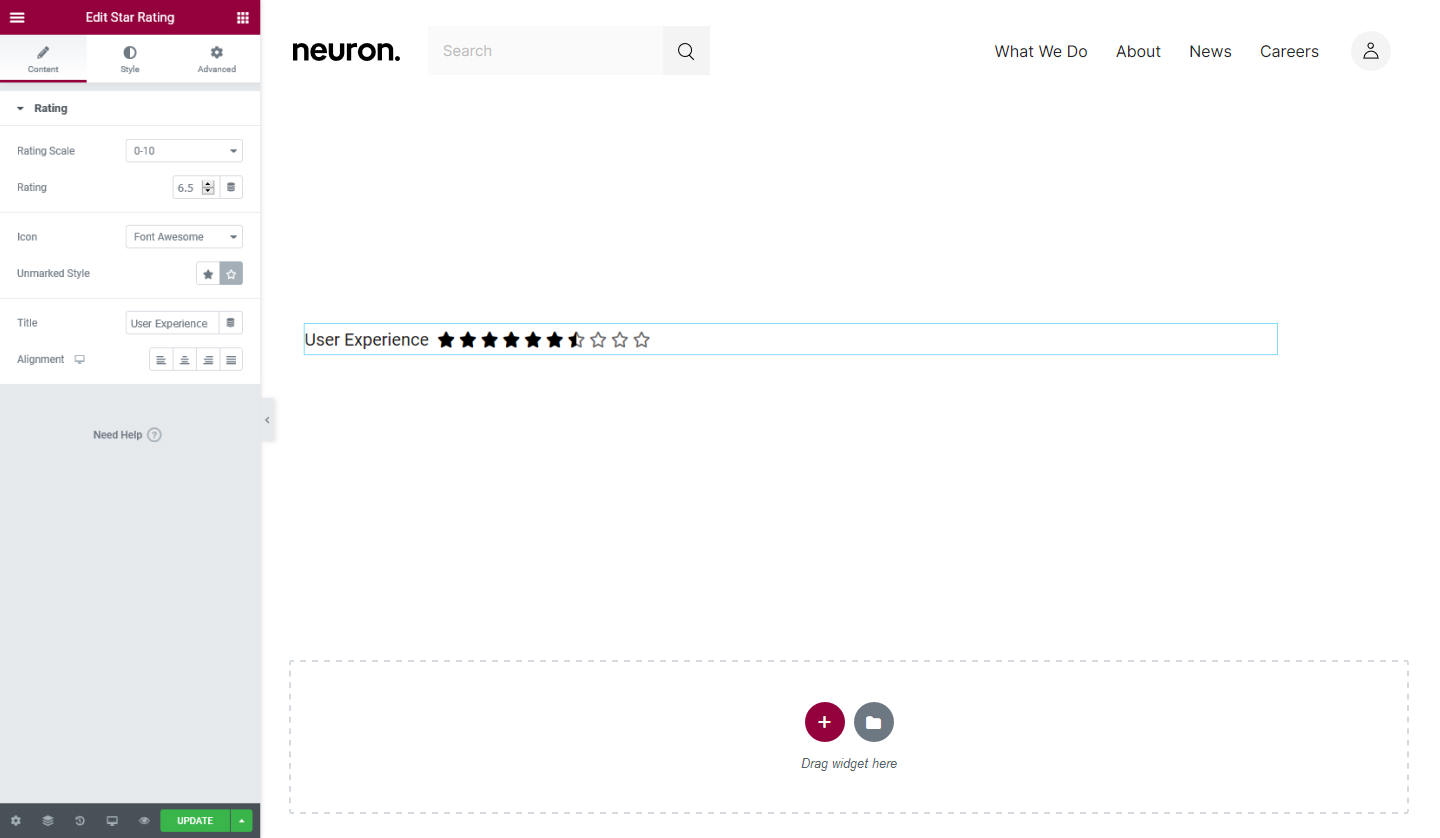
Content Tab
Rating
- Rating Scale - Set the rating scale from 0-5 or 0-10
- Rating - Set the numerical rating for the start based on the scale you choose
- Icon - Choose the stars icon to be from FontAwesome or Unicode
- Unmarked Style - Choose either Solid or Outline
- Title - Enter the title for the star ratings
- Alignment - Set the alignment for the star ratings either Left, Center, Right, or Justified.
Style Tab
Stars
- Size - Set the size of the stars
- Spacing - Set the spacing between the stars
- Color - Set the color for the stars
- Unmarked Color - Set the color for the unmarked stars
Set the settings for the Advanced Tab that is appropriate for the element.
