
The Countdown element will provide the ability to add a countdown when you want to announce something exciting like a new feature, a new product, your future presence on the web, or anything you are excited about and want to share it with your users.
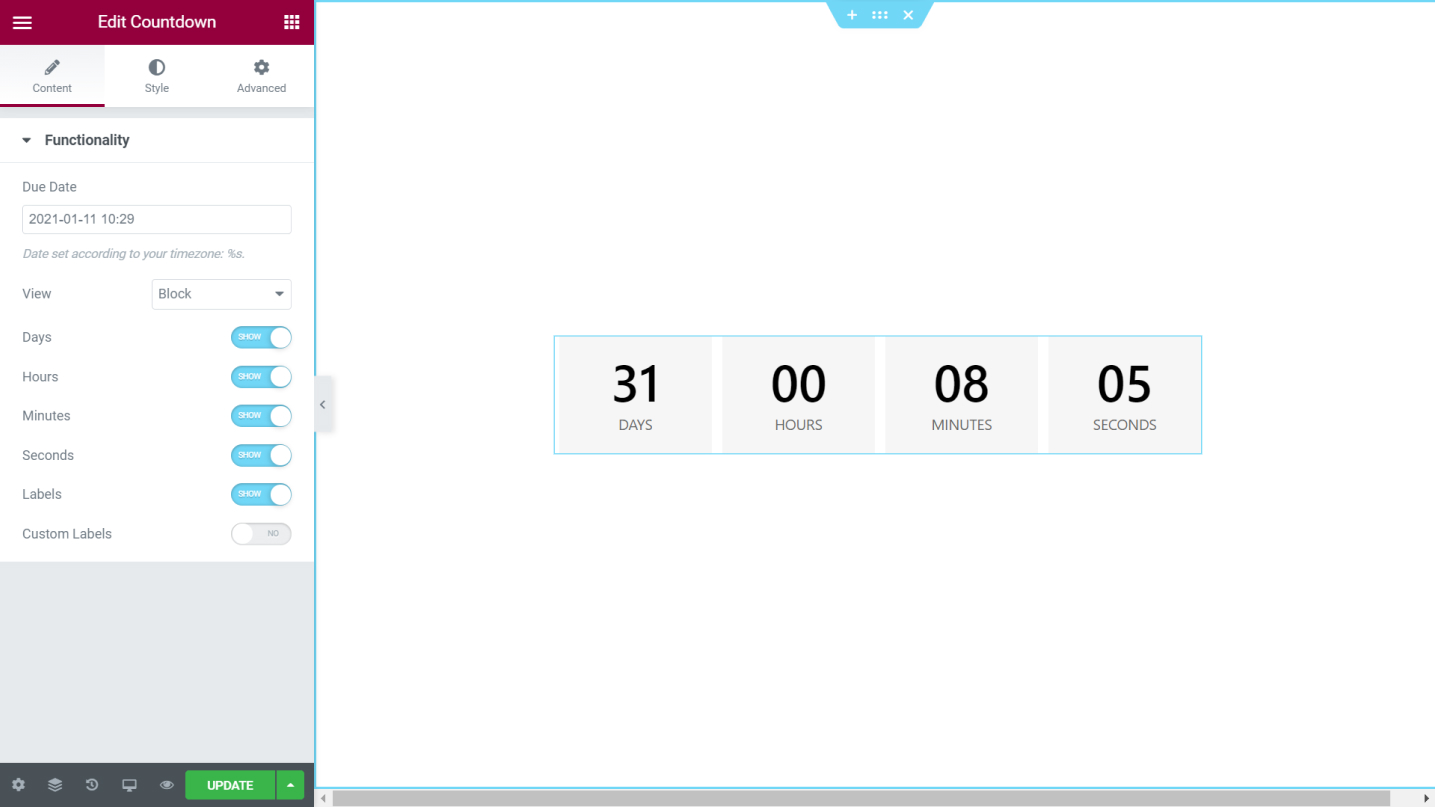
Content Tab
Functionality
- Due Date - Set the due date according to your timezone
- View - Choose the style for the countdown either Block or Inline
- Days - Switch the handle on to show the days of the countdown
- Hours - Switch the handle on to show the hours on the countdown
- Minutes - Switch the handle on to show the minutes on the countdown
- Seconds - Switch the handle on to show the seconds on the countdown
- Labels - Choose t either show or hide the labels for the days, hours, minutes, and more
- Custom Label - Type in your own custom labels for the days, hours, minutes, and more
Style Tab
Boxes
- Container Width - Set the container width in percentage or
- Background Color - Set a background color for the countdown box
- Border Type - Set a border type for the countdown box
- Border Radius - Set ht border radius for the box
- Space Between - Set the space between the boxes
- Padding - Add padding values for the countdown boxes
Content
Numbers
- Color - Set the color for the numbers
- Typography - Tweak the typography options for the numbers
Labels
- Color - Set the color for the text of the label
- Typography - Tweak the typography options for the text of the label
Set the settings for the Advanced Tab that is appropriate for the element.
