
Activating the Licence is an essential and vital part when integrating Neuron Themes since it is the core key in having access to all the beautifully crafted demos, templates, bundled plugins, and updates. You will be required to register the theme first to gain access to all the amazing features of Neuron Themes. Before you register your theme you are going to need your purchase code.
How to Obtain the Purchase Code
Getting the Purchase code you first need to
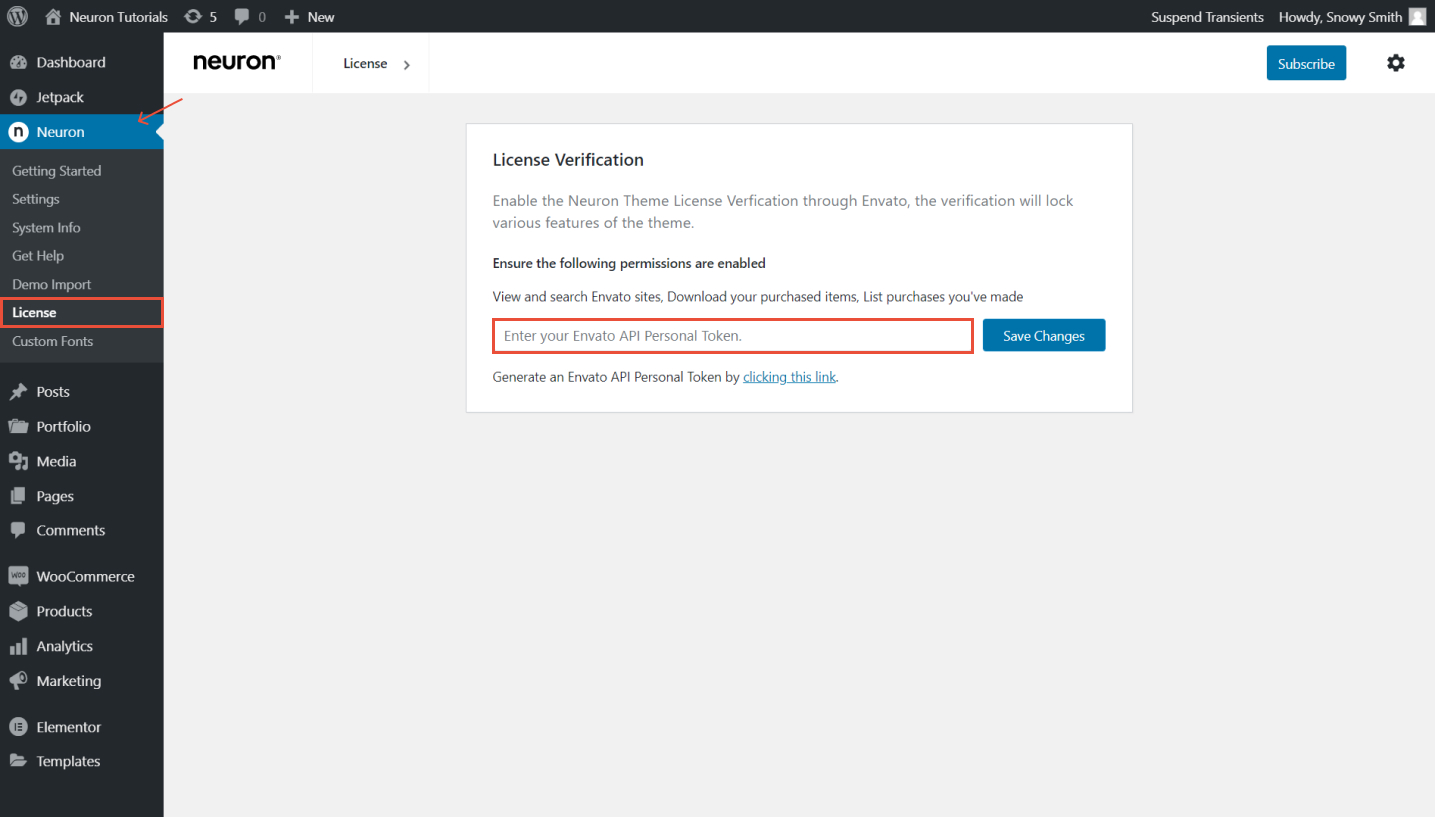
- Go to the WordPress Dashboard > Neuron > License
- See the text right under the API token field, click on the link that says "Generate an Envato API Personal Token by clicking this link".
- From there you will be directed to the Envato market page, where you will generate the token, write your token name. Make sure to be a simple and memorable token
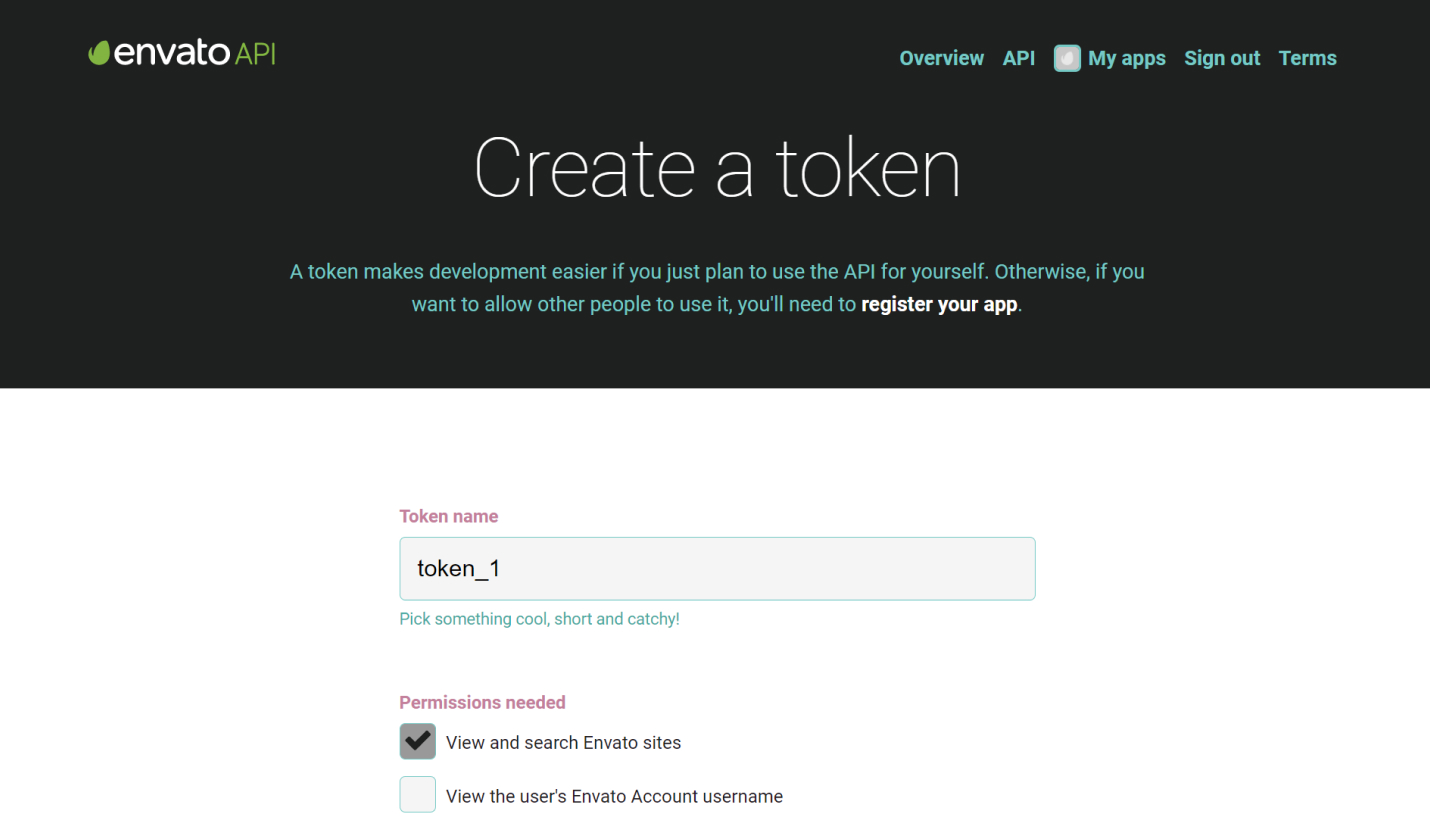
- Tick three ticks: View and search Envato sites, Download the user’s purchased items, List purchases the user has made. And lastly, scroll down to check the box where you’ve read, understood, and agree to the Terms and Conditions
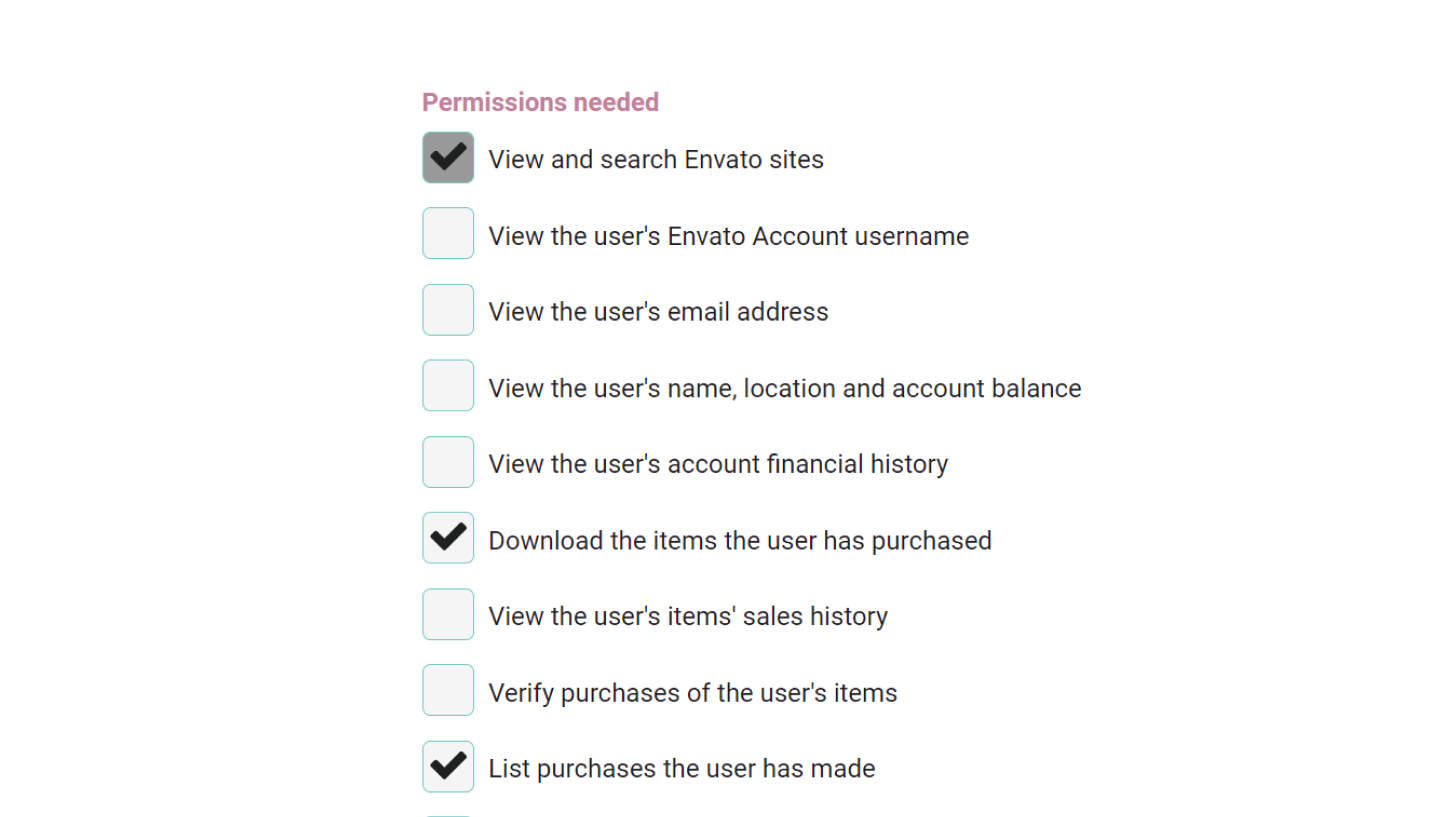
- Click on Create token
- Copy the generated Token and please for safety reasons store it safely, since you will need to re-create the token if you lose the one.
How to Register your Theme with a Purchase Code
- Go back to your WordPress Dashboard > Neuron Control Panel > License
- Paste the token you just copied into the designated field and click on Save Changes
- Once the registration process is over you will be greeted with a successful message
Note: If you see an error message displayed on the screen then that is most probably due to the fact that the purchase code has been activated once. Make sure to use your purchase code on one license only.
Copyright & Terms of Use
Copyright is a legal term that refers to the exclusive right of the author to produce and distributes the original work. Currently, the billing, licensing, and purchase is entirely handled by
Envato - the company behind Theme Forest. According to the License Regulations, you can use a license one time and one time only, multiple uses of a license is a violation of these regulations and can be prone to legal violations.
For freelancers, there is the distinction of
Regular License and the Extended License, where under the Regular License, your end product (incorporating the item you've licensed) is distributed for free, whereas under the Extended License your end product may be sold. For more information please visit this
License FAQ page.
Terms of Use refer to the usage of your license once purchased from the Theme Forest market. Registration is the final step to validate your purchase and your license. It helps us understand that certain licenses are being used in one website ( one domain) only and that you are in coordination with Envato Rules and
Licenses. Check those links to make sure you are compliant with your license and make proper use of it.
