
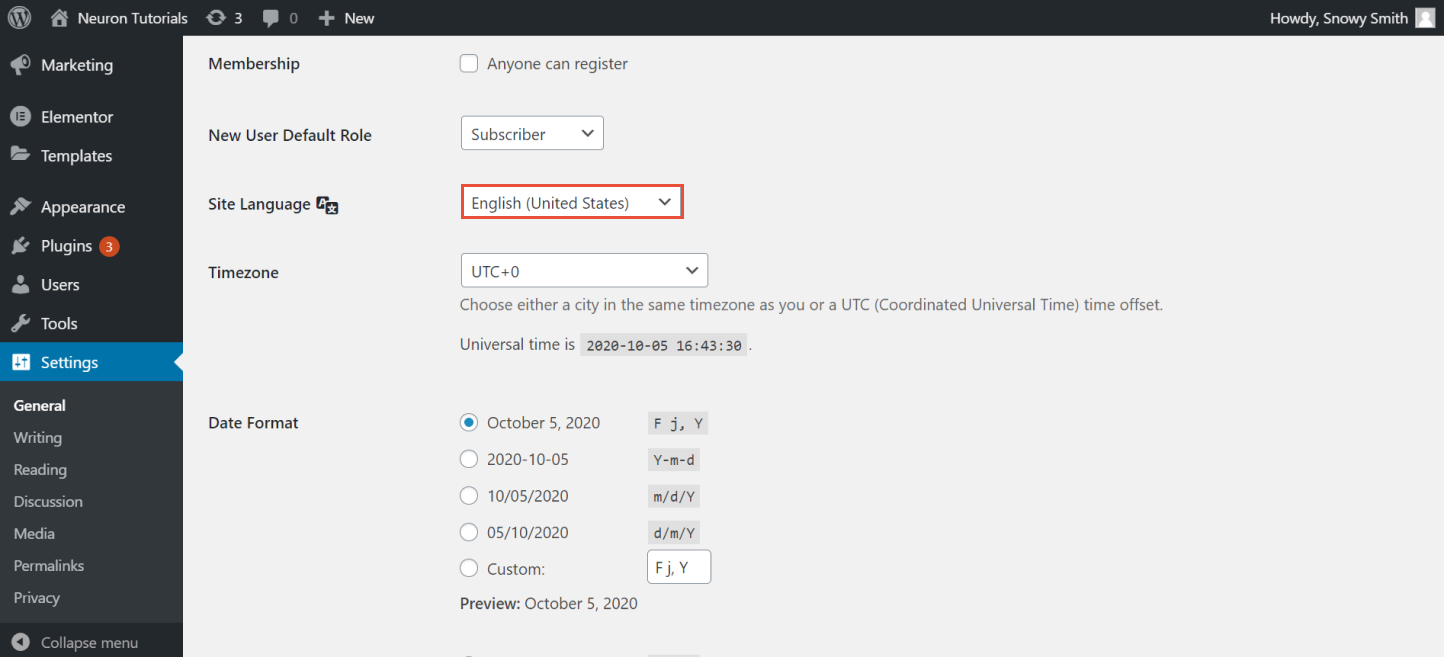
To change the language on your website, we should head back to the WordPress backend screen. You can easily change the default language of your installation.
- Go to the WordPress Dashboard > Settings > General
- Locate the Site Language option
- From there select the desired language, and don't forget to click on Save Changes.
And if you wish to translate Neuron Themes into any language of your choice, you could easily do that with the help of a plugin. The Loco Translate plugin will translate WordPress themes and plugins by accessing the in-browser PO files used to localize them.
For s step by step tutorial on how to translate your Neuron Theme with Loco Translate check out this article.
.
