
The Product Images will allow you to put on a display of images and galleries for your WooCommerce Products
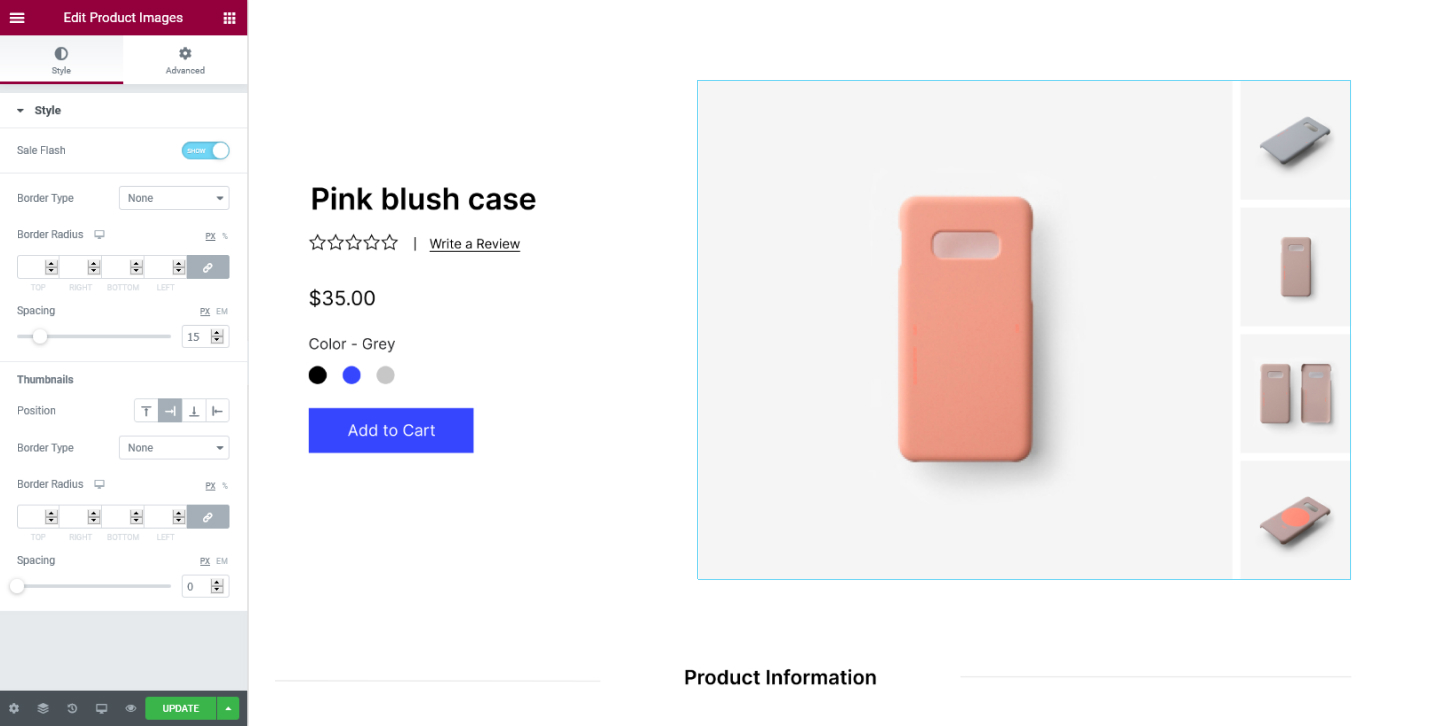
Style Tab
Style
- Sale Flash - Chose to either show or hide the sales flash
- Border Type - Choose to have a border for the product's images. You can select either Solid, Double, Dotted, Dashed, or Groove
- Border Radius - Add border-radius to the border to make the edges rounder
- Spacing - Add spacing between the main image and the images below
Thumbnail
- Position - Choose the position of the thumbnail images, they can be positioned either Top, Right, Bottom, or Left
- Border Type - Select to add a border for the thumbnail images
- Border Radius - Add border-radius to the border to make the edges rounder
- Spacing - Add spacing between the thumbnail images
Set the settings for the Advanced Tab that is appropriate for the element.
