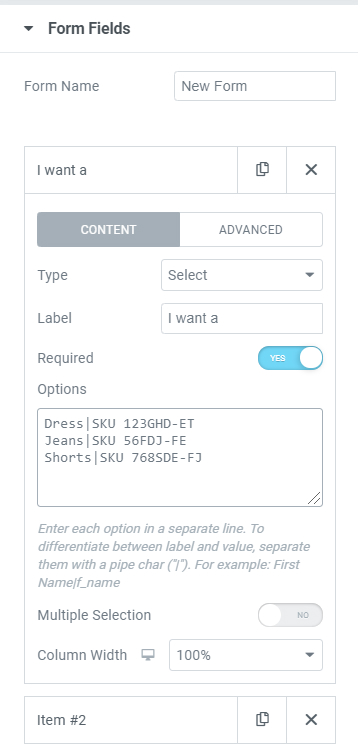
From the various From Field Types, the Select, Radio, and Checkbox deserve some more attention as they behold more features that need to be explained. If you want to show more than one option on your forms you should use the | symbol to separate the label and the value. Each option should be written in a hierarchy.
If you use the | symbol then the text before the symbol will be used as the label, while the text after the symbol will be used as the value.
This method can be used either in Select, Radio, or Checkbox.
See the example below for more reference.