Slider Revolution offers some beautiful and captivating animation and effects that you can add to your slides and enhance the design you are working on. To add a parallax effect to your background image with Slider Revolution
- Open Slider Revolution, go to WP Dashboard > Slider Revolution
- Click on New Blank Module
- Add an image as your layer
- Select the image from your repository
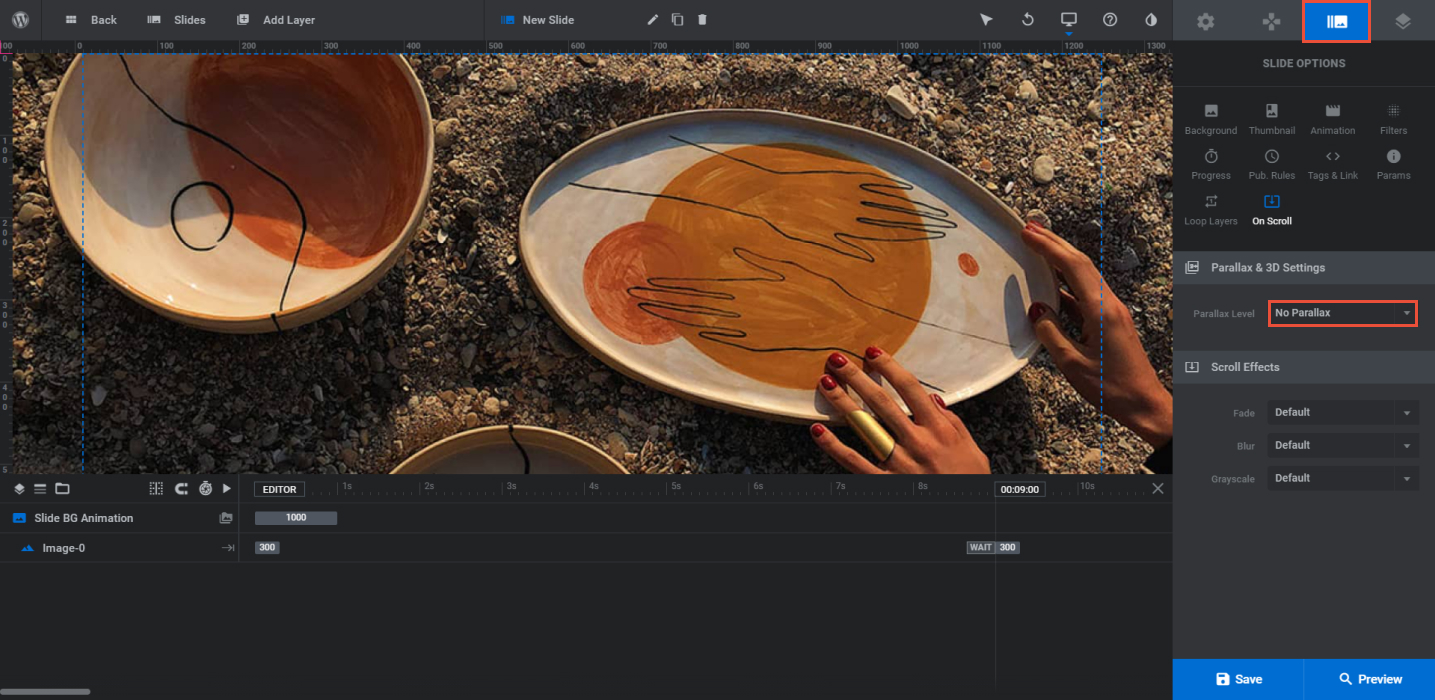
- Click on Slide Options < On Scroll
- Under Parallax & 3D choose the depth of your parallax effect to your preferences, this might vary depending on the style you want to go with.
- Besides background images, you can add the parallax and 3d effect on other layers as well, it can be used for individual layers within your slider.