You can set video as your background for your section, with that you could be designing your hero, or header, or any other areas of the site to give a great first impression on your site's visitors. With Neuron Themes, you can set the background to be Classic - either set a color or choose an image, Gradient, Video, or Slideshow.
We are going to focus on the Video type for now. To access the video options, right-click on the section handle, and on the left panel, the window options will open. Click on the Style tab and choose Background.

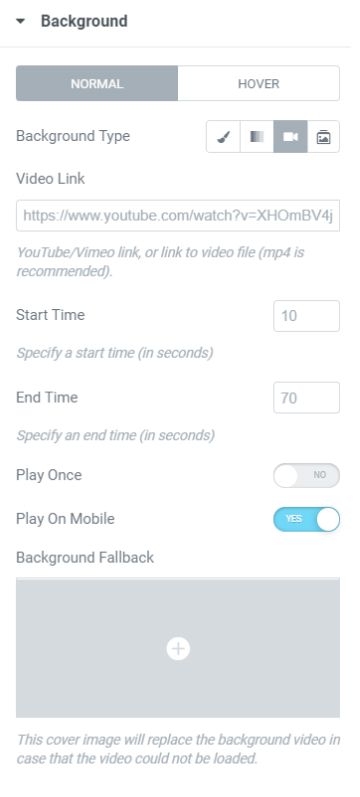
Section Background Video Options
- Video Link - Insert the link of your video either from Youtube, Vimeo, or link it to a video file (mp4).
- Start Time - Choose the time from when your video will start.
- End Time - Choose the time from when your video will end.
- Play Once - Enable the switch for the video to be played only once.
- Play on Mobile - Enable the switch to allow for the background video to be played on mobile devices.
- Background Fallback - Set a cover image to be shown when the video background will not be shown, specifically in mobiles and tablets, or the video can not be loaded.