
Using the Maintenance Mode will help search engines as well as visitors to understand that your website is deconstruction. This method can be of particular use when you are redesigning your website, or when you are fixing issues on your site.
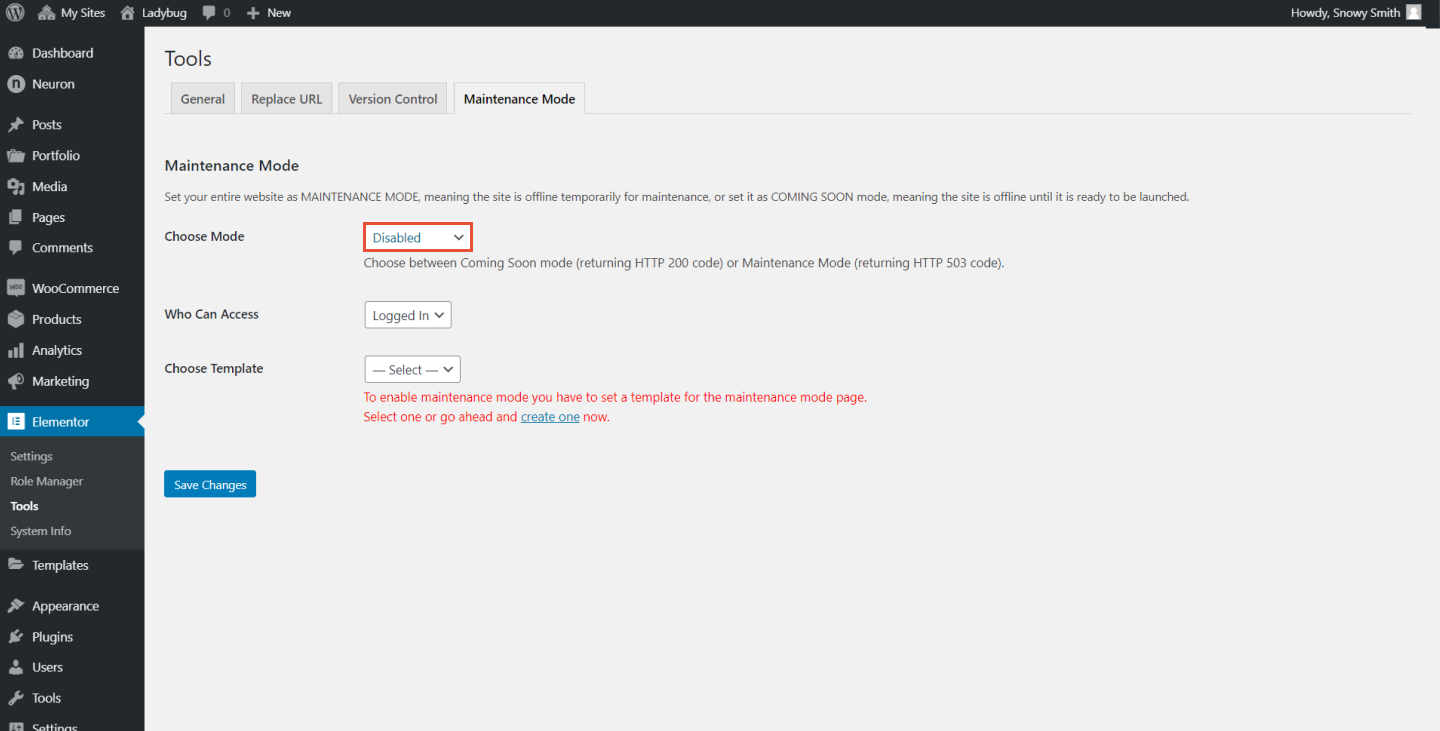
- Create your template of a Maintenance Mode, design one from scratch, or choose one from the extraordinary pre-made templates available on Neuron Library
- Go to Elementor > Tools
- From the Maintenance, Mode Tab click on choose mode
- Select Maintenance Mode from the dropdown menu
- Select the template you have created to be displayed
Note: When you set your website on Maintenance Mode, you will notice a red bar at the top of the WordPress Dashboard, with the text "Maintenance Mode ON"
