WordPress is an overall easy-to-handle platform that offers major flexibility as well as functionality. To disable the comments on your WordPress website, you will need to
- Go to the WordPress Dashboard > Settings > Disscussion
- Uncheck the box that says "Allow people to post comments on new articles"
- Click on Save Changes and you will be done. Users can not comment on your posts anymore.
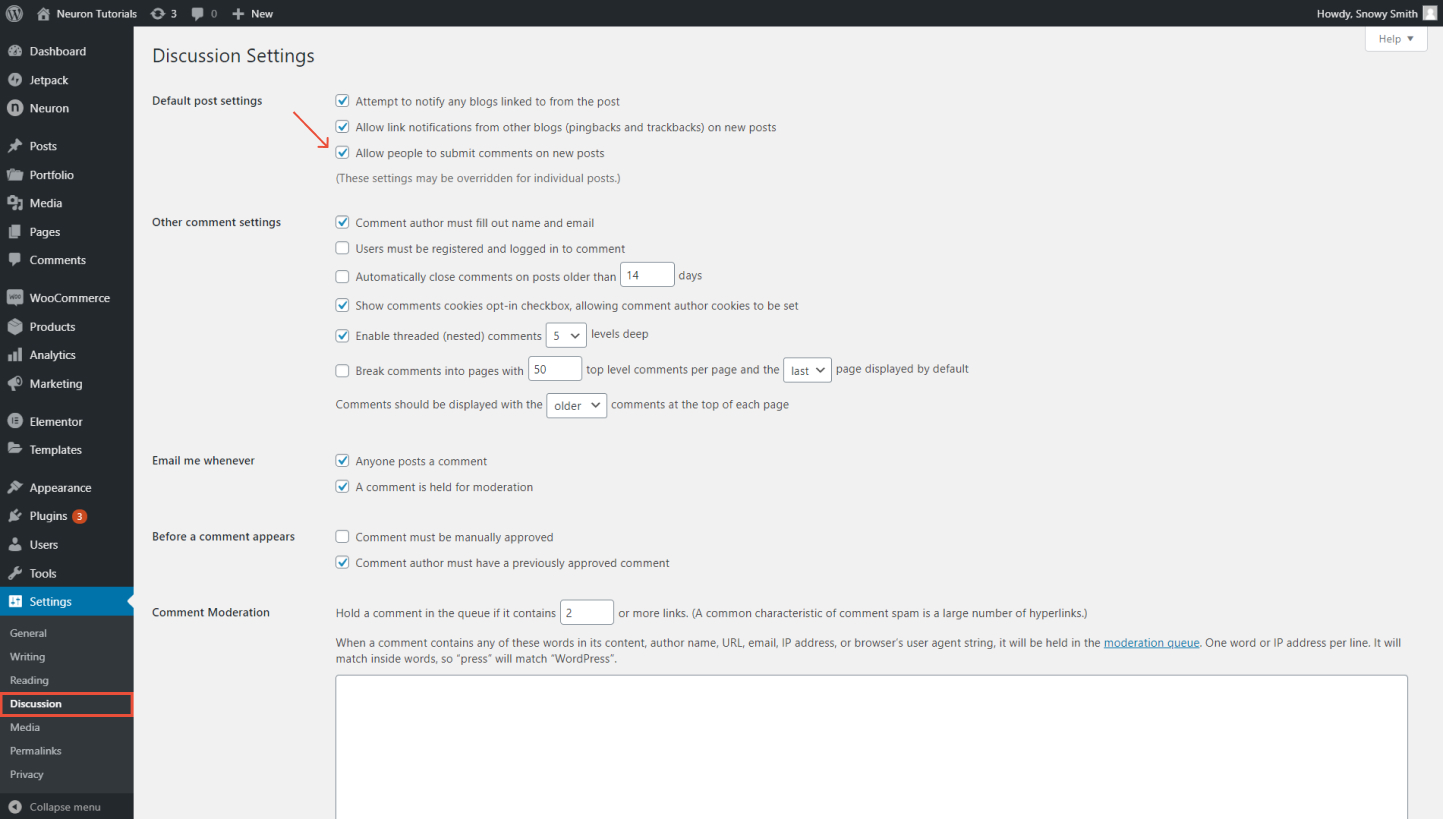
Note: These changes will be overridden for individual articles.
How to Disable Comments on specific Posts/ Pages in WordPress
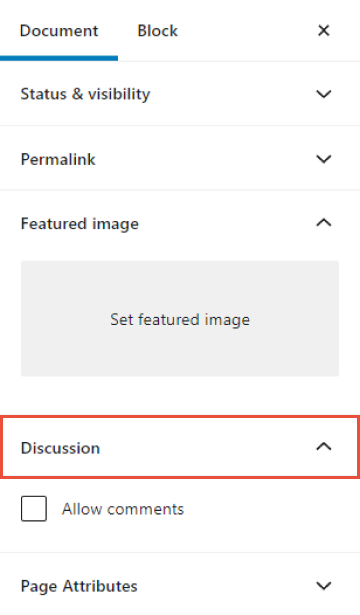
By default, comments are turned off on all your pages. Even if you choose to disable comments on your entire site, you can enable or disable them for specific posts or pages and the changes will be overridden. To do that
- Go to Pages> All Pages
- Hover your mouse on the page you wish to enable or disable the comments
- Click on Edit
- From the WordPress editor, on the left panel click on Discussion, to enable comments, check the box for Allow Comments, to disable them leave the box unchecked.