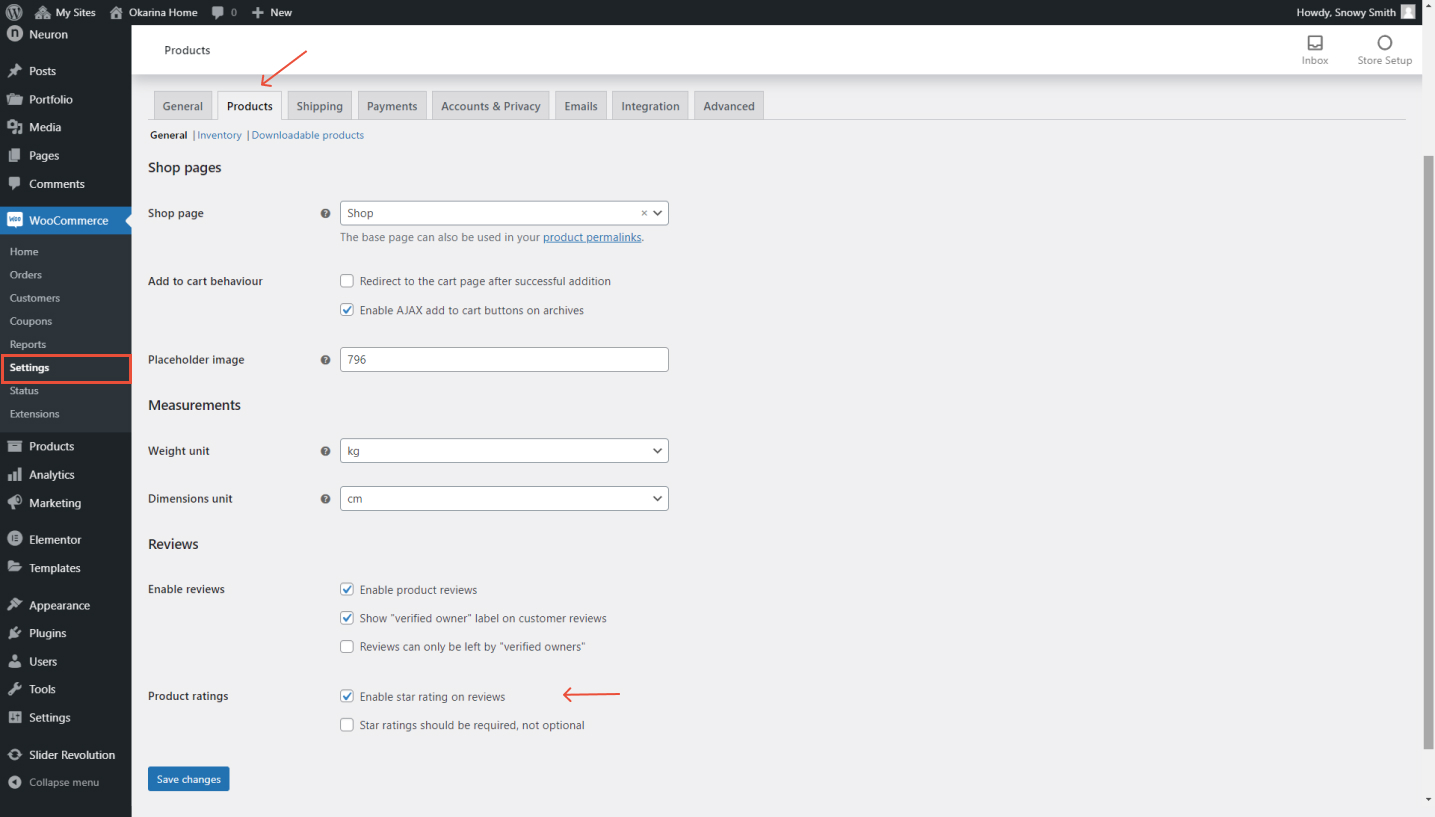
Product ratings can be a great way to sell your products and allow your customers to present their satisfaction with your products which serves as a selling point for future customers that wish to acquire your products or services. To allow product ratings on your WooCoomcer online store from WordPress
- Go to WooCommerce > Settings
- Click on the Products tab
- Scroll down the page and locate the Product rating section
- From there you can tick the Enable star ratings on review option to allow users to rate your products and the Star ratings should be required, not optional option to have the ratings be required for the users.
- Click on Save Changes for the settings to be applied properly.